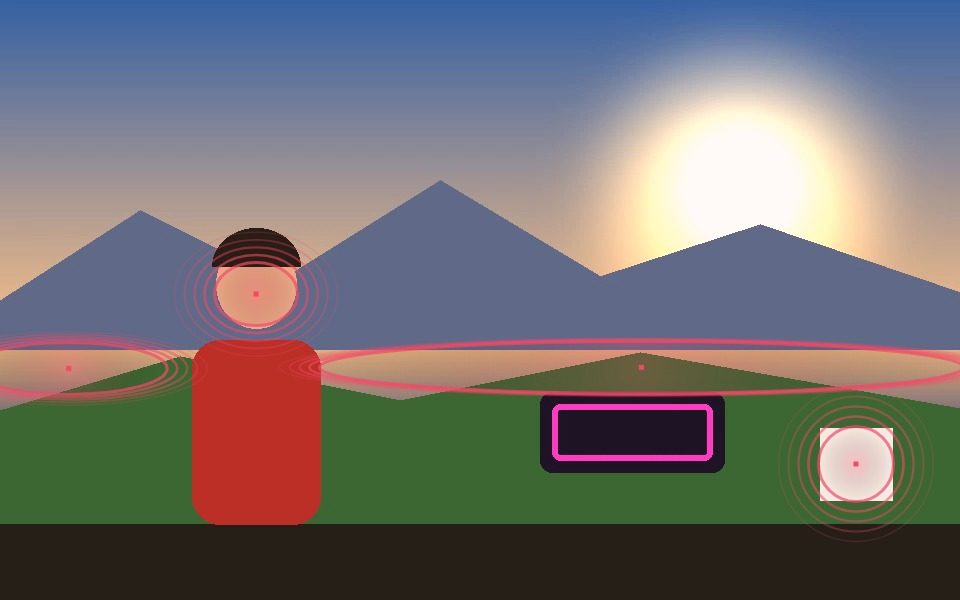
Why Audio-Reactive Visualizer Works Here
Real FFT analysis, not a fake bounce
Enable Audio Sync runs a live FFT frequency analysis on the loaded video's own audio track or a microphone input, and modulates the visual's pulse/intensity off it directly.
Built on real tracking, not just audio
The pulse is layered onto Blob mode's actual tracked shapes — the visual reacts to both the music and whatever's moving on camera, not audio alone.
One-click Audio Pulse preset
Sets a coordinated halo style, color, and audio-reactive line width in a single click — a fast starting point that's still fully adjustable after.
Works with a track or a live mic
React to a loaded video's own audio track, or switch to a microphone feed for a live performance instead of a pre-recorded clip.
Layer in more visual styles
Combine with Post FX (Sobel Glow, Thermal, Noir) or Ghost Trails for a denser, more layered look than the pulse alone.
Record the reactive visual
Record captures the full composited, audio-reactive output as a downloadable WebM or MP4 file.
Frequently Asked Questions
Is this just a waveform or spectrum bar visualizer?
No — the base visual comes from real object/blob tracking on a webcam or video; audio reactivity (live FFT analysis) modulates that tracked visual's pulse and intensity, rather than drawing bars off audio alone.
Can it react to a live microphone, not just a video's audio track?
Yes — Audio Sync can tap either the loaded video's own audio track or a live microphone feed.
How do I get this look quickly?
Click the Audio Pulse preset — it sets Blob mode, the Halo visual style, a coordinated color, and turns on Audio Sync in one click.
Can I record the reactive visual as a video?
Yes — Record exports the full composited, audio-reactive output as WebM or MP4.
Is it free to use?
Yes — runs entirely in your browser, free, no signup or install required.