Why Thermal Camera Effect Works Here
Heat-gradient fill, not a flat tint
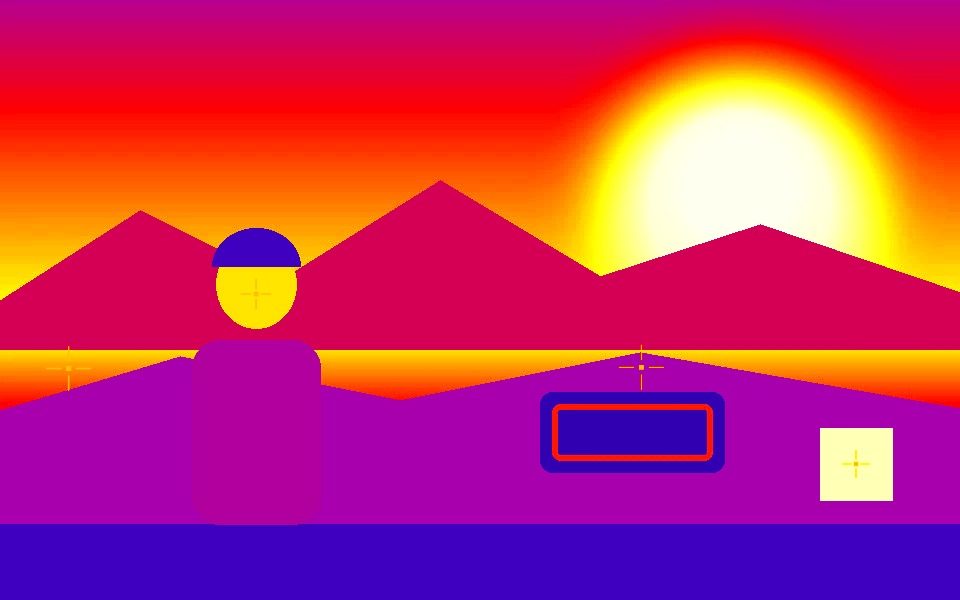
Detected shapes fill with a gradient that reads like a real thermal camera's heat map, instead of a single flat color pasted over the video.
Crosshair-style markers
Thermal pairs its heat-map fill with crosshair tracking markers — the classic sci-fi/spy-cam targeting look.
Runs on a normal webcam
No infrared or FLIR hardware needed — the effect is generated from ordinary visible-light contour tracking, styled to read as thermal.
Works on video too
Drop in a pre-recorded clip instead of a live feed and the same thermal pipeline processes it frame by frame.
Record the result directly
Record captures the composited thermal look as a WebM or MP4 file, ready to share without a separate screen capture step.
Adjust the heat color
The color picker changes the base heat-map hue away from the default orange if you want a different palette.
Frequently Asked Questions
Is this a real thermal/infrared camera feed?
No — it's a visual effect generated from ordinary webcam or video input via contour tracking, styled to look like a thermal/FLIR heat map. No infrared hardware is used or required.
How do I apply the thermal look?
Click the Thermal FLIR preset — it sets Blob mode, an orange heat-gradient fill, crosshair markers, and the thermal post-fx in one click.
Can I use it live on a webcam?
Yes — it runs in real time on a live webcam feed, or on an uploaded video file using the same pipeline.
Can I record the thermal effect?
Yes — Record captures the full composited thermal overlay as a downloadable WebM or MP4 video.
Does it cost anything?
No — it's free, runs entirely in your browser, and doesn't require an account or upload to a server.