

Why Halftone Newsprint Effect Online Works Here
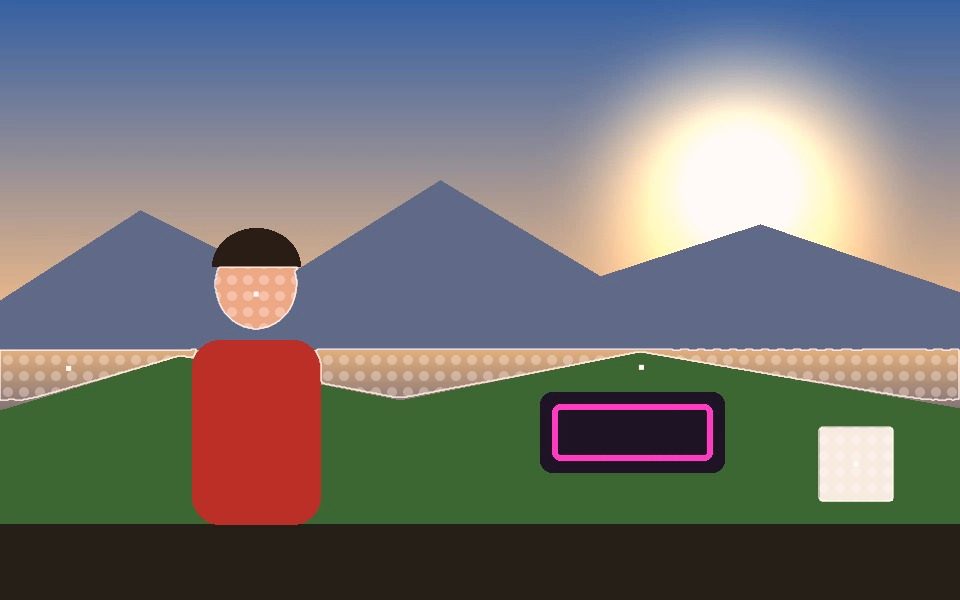
Real halftone dot grid
A regular dot pattern fill, not a blurred texture — reads like actual newsprint reproduction.
Works with Contour for a real silhouette fill
Pair with Person or Blob mode's Contour (Polygon) style so the halftone fills the tracked subject's real outline.
Adjustable opacity
Fill Opacity controls how strong the halftone reads against the video underneath.
Other print-style fills too
Grain (Film Noise), Metal, Carbon Fiber, Wood Grain, Camo, and Checkerboard are also available in the same Fill Style dropdown.
Combine with any tracking mode
Works on Blob, Motion, Face, Object, Pose, Person, or Hand tracking.
Free and local
Runs entirely in your browser, nothing uploaded.
Frequently Asked Questions
What is the difference between the halftone and newspaper options?
Halftone Pop is a visual style for the tracked shape itself, drawing it in comic-style dots. Newspaper is a fill texture, filling detected shapes with a print-like pattern. They do different jobs and can be used together.
Can I apply a print look to the whole frame?
Yes. The Comic Book and Pop Art post-processing effects grade the entire picture, rather than only the tracked shapes.
Can I change how coarse the dots are?
Yes. Hatch Density controls the texture scale for the hatched fill, and Line Width and Fill Opacity change how heavy the printed shapes read.
Does it work on a still photo?
Yes. Load a photo instead of a video and the same detection and styling runs once, then you can download the analysed image.
Will it look right in black and white?
Yes. Pair it with the Noir post-processing effect for a monochrome print look, or set the outline colour to black on a light background.



