Why Light Painting / Long Exposure Trails Effect Works Here
Per-object motion trails
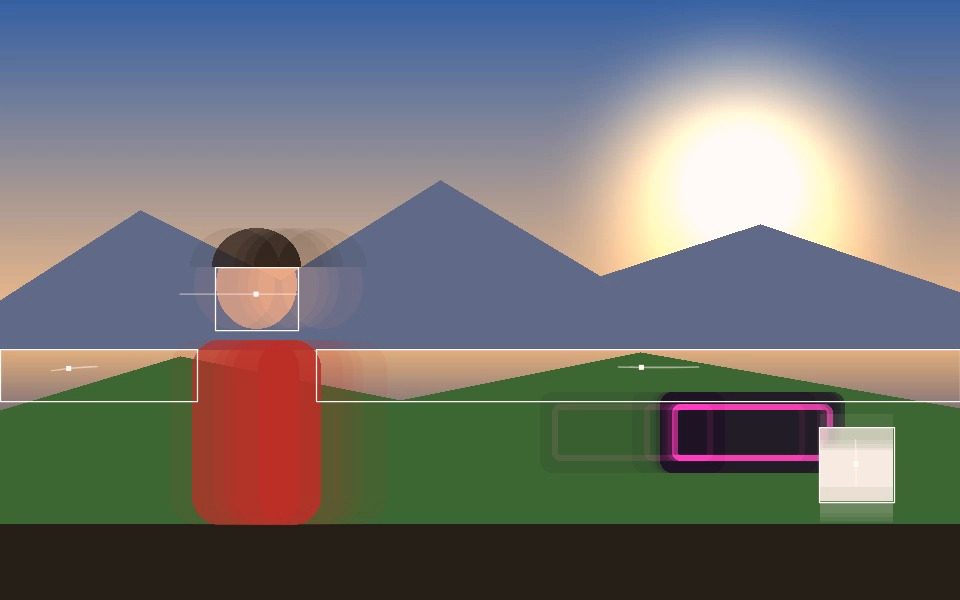
Every tracking mode has a Trails toggle that leaves a fading path behind each tracked point/box as it moves.
Ghost Trails for a full long-exposure blend
A separate long-exposure-style blend of the whole frame, with an adjustable Decay amount, for a stronger light-painting look.
Speed Vectors for motion arrows
Add directional arrows sized to speed for a more graphic, motion-diagram look.
Works with any color, including Cycle
Trails render in your Custom Color, or shift continuously with Color Cycle for a rainbow light-painting effect.
Any tracking mode
Blob, Motion, Face, Object, Pose, Person, or Hand — trails work on all of them.
Export the result
Record the light-painting effect as a video file, or as a frame-accurate export via Render Mode.
Frequently Asked Questions
How is this different from ordinary motion trails?
Trails draw a line following each tracked object's path. Ghost Trails instead blends previous frames into the picture itself, like a long exposure, so the whole moving image smears rather than only the tracked point.
Can I control how long the trail lasts?
Yes. Ghost Decay sets how quickly earlier frames fade, and Trail Length sets how many points a per-object trail keeps.
Do I need to track anything for the long-exposure look?
No. Set the mode to None and Ghost Trails works on its own as a pure look.
Can I keep one subject sharp while everything else smears?
Yes. Solo Ghost Trails lets you pick one tracked box to exclude from the blend, so it stays crisp against the trailing background.
Which trail style looks most like light painting?
Neon Glow with a bright colour and a longer trail length, with Ghost Trails layered underneath for the exposure smear.