

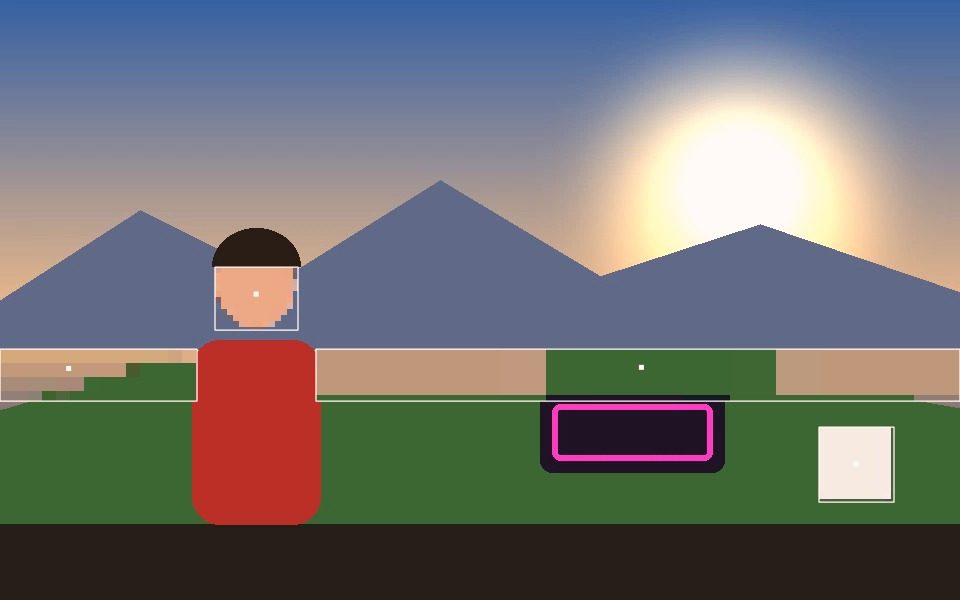
Why Pixel Mosaic Effect Online Works Here
Samples real pixels, not a filter overlay
Each block color comes from the actual video underneath it, not a generic pixelation shader.
Works on any tracking mode
Apply Pixel Mosaic to Blob, Motion, Face, Object, Pose, Person, or Hand tracking.
Also used for Face mode's Blur Faces
The same mosaic technique doubles as a privacy blur for detected faces, independent of Visual Style.
Combine with color effects
Layer with Color Cycle or Color by ID for a mosaic that shifts or differs per tracked ID.
Record the effect
Export the mosaic-style tracking as a video, same as any other Visual Style.
Runs locally, free
No frame is ever uploaded — everything renders in your browser.
Frequently Asked Questions
Does it pixelate the whole frame or just the subject?
The Pixelate visual style applies to what is being tracked, so a detected face or body is blocked out while the rest of the frame stays sharp.
Can I use it to hide someone's face?
Yes — Face mode with the Pixelate style follows the face as it moves, so the block stays on it rather than sitting in one fixed spot. Check the result before publishing, since a missed detection leaves a frame unblurred.
Can I change the block size?
Line Width and Fill Opacity change how the blocks read, and the tracking resolution affects how coarse the mosaic is relative to the frame.
What if the tracking loses the subject for a moment?
Track Persistence keeps the block drawn at the last known position for a set number of frames instead of flickering off, and dead-reckons it along its last direction so it glides rather than stalls.
Does it work on a photo?
Yes. Load a photo and it runs detection once, then you can download the pixelated result.



