

Why Online Photo Booth Effects Works Here
Analyze any photo
Drag, paste, or choose a photo and it's tracked/styled the same way a video would be.
Live style preview
Change color, Visual Style, or Post-FX and the still re-renders instantly, without re-running detection.
Full-resolution export
Screenshot exports at the original photo's native resolution, not a capped working size.
Works on a live webcam still too
Snap a Screenshot straight from a running webcam session with the current effect applied.
Every tracking mode available
Blob, Motion (video only), Face, Object, Pose, Person, and Hand all work on a still photo (Motion needs two frames, so it's video/webcam only).
Free, no watermark
No signup, nothing added to your exported image.
Frequently Asked Questions
Which photo booth effects are included?
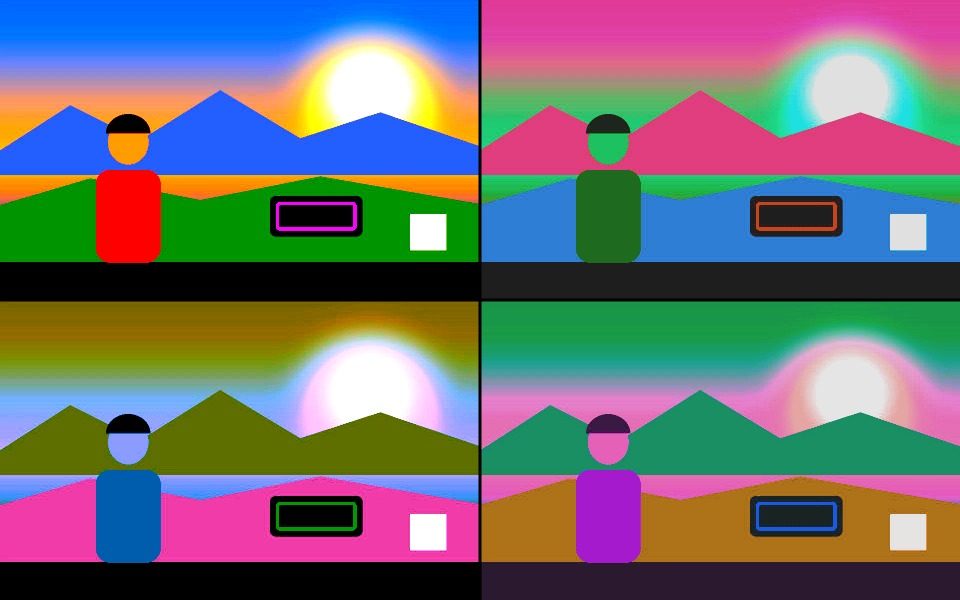
Comic Book, Pop Art in a four-panel grid, Sepia, X-Ray, and the distortion effects Fisheye, Twirl and Kaleidoscope.
Can I take a still rather than a video?
Yes. The photo button captures the current frame with the effect applied, and you can download it directly.
Can I flip through effects while looking at the camera?
Yes. In webcam mode a strip of effect pills appears over the preview so you can tap through them while watching yourself, without opening the settings panel.
Are the distortion effects slower?
Yes. Fisheye, Twirl and Kaleidoscope reshape every pixel, so they cost more per frame than the colour-only effects — noticeable on older phones at high resolution.
Do my photos get uploaded?
No. The camera feed is processed on your device and never leaves it; saved files go straight to your own downloads or share sheet.



