Why the Ektar 100 Look Works Here
A vivid negative, not a filter
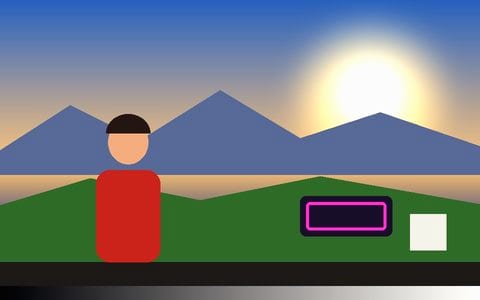
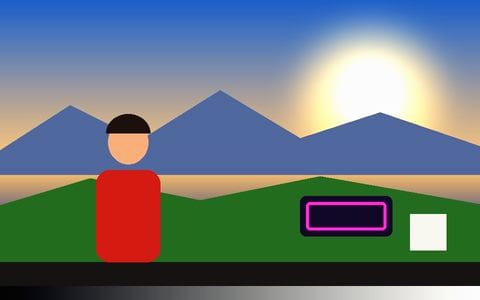
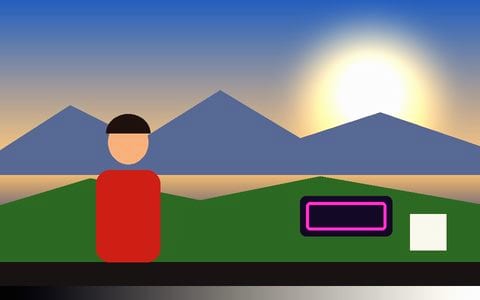
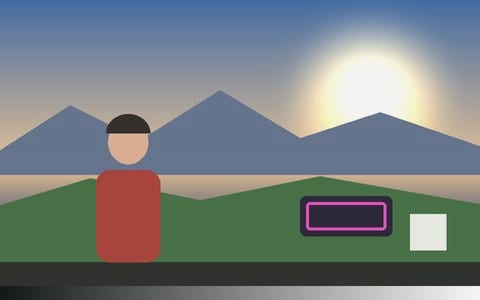
Ektar is the colour negative that behaves most like slide film: strong saturation, clean separation between colours and solid contrast — but with a negative’s softer highlights, so skies hold detail instead of clipping. The grade pushes colour without turning skin orange.
Barely-there grain
At ISO 100 Ektar is one of the finest-grained films made. The preset pairs it with the 35mm Fine stock at a low amount, so the frame gets film texture without visible noise — right for landscapes and architecture.
Best for landscape and travel
Bright daylight, blue sky, saturated subjects: mountains, coastlines, city colour, food. In flat light it can look heavy — try Pro 400H there instead.
Set how strong it is
The LUT strength slider runs the grade from a hint to the full stock, and keyframes can fade it in or change it mid-clip, frame-accurately in every export.
Video and photos
Use it on a clip or a webcam — or pick a photo, or several, with the Photo button: the same look goes on every photo and Export all saves each one at up to 2048 px.
Drawn into the frame
The grade and the grain are rendered into the picture, so Record (MP4/WebM), Render Mode and saved photos carry the look exactly as previewed.
Frequently Asked Questions
What does Ektar 100 look like?
Punchy, saturated colour with deep blues and strong reds, crisp contrast and very fine grain. It is the colour negative closest to slide film.
Is Ektar like Velvia?
Close, but softer. Velvia 50 is slide film: harder contrast, darker shadows and even more saturation. Ektar keeps a negative’s gentler highlight roll-off, so it is easier on skin and bright skies.
Is this real Ektar 100?
It is an emulation: the app’s own grade of Ektar 100’s well-known colour and contrast, paired with a matching grain stock — not a scan of the film or an official profile. Vis Exo is not affiliated with Kodak; Kodak Ektar 100 is their trademark.
Does it work on photos as well as video?
Yes. Pick one photo or several with the Photo button; the look applies to all of them, and Export all saves each one at up to 2048 px — as a ZIP on a computer, or to your photos through the share sheet on a phone.
Is it free and private?
Yes — free, no watermark, no signup, and your footage and photos never leave the browser tab.